Game Lists
Create and manage Game Lists for easier management!
📔 What are Game Lists?
The Game Lists feature allows you to group multiple games into reusable lists that can be easily applied across your Level Systems and Challenges.
Instead of selecting individual games every time you configure a campaign, you can create a Game List once and reuse it whenever needed. This makes setup faster, cleaner, and much easier to manage — especially if you frequently run promotions across the same group of games.
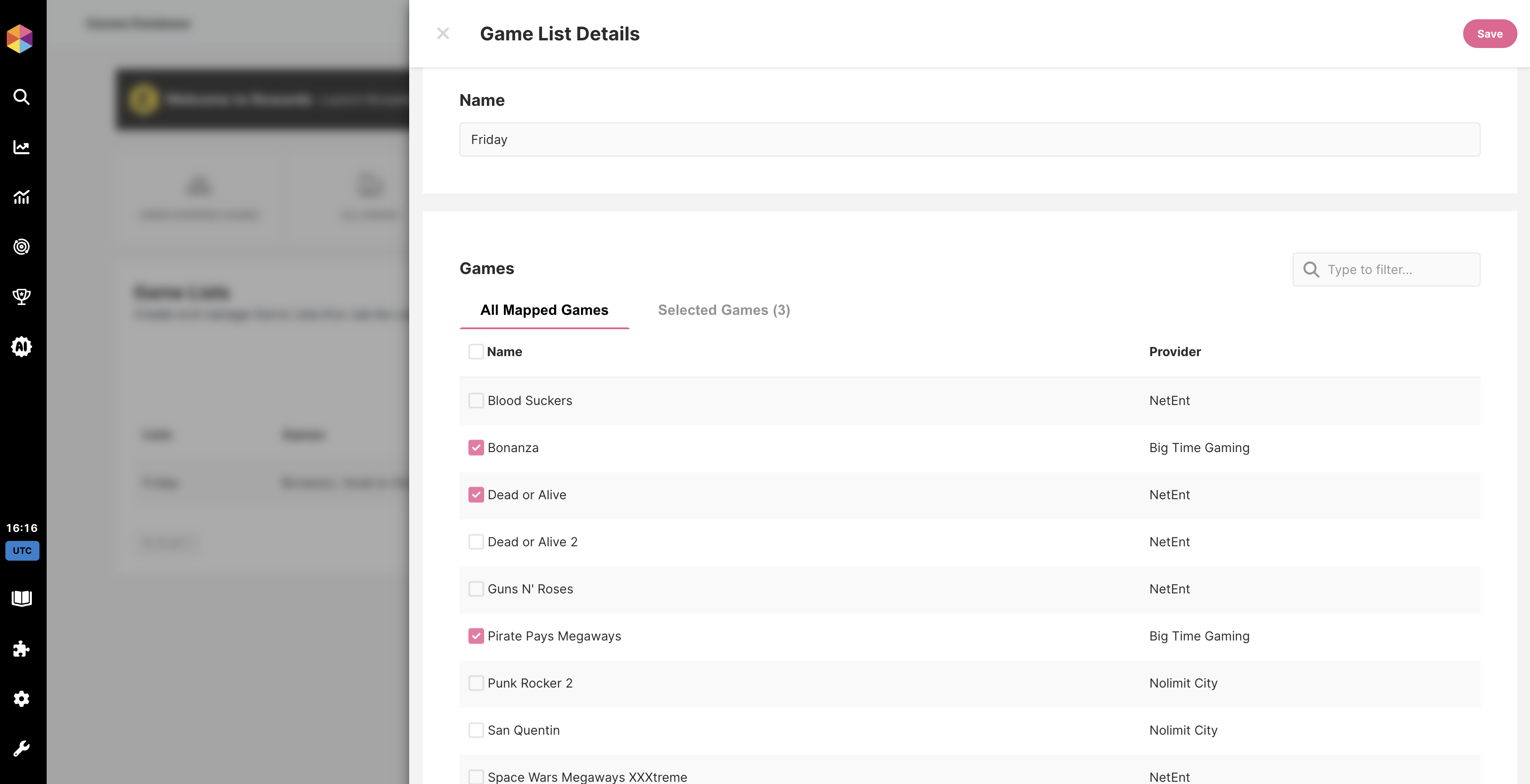
Example Game List
Example Game List
Game Lists are particularly useful for:
- Slot-only campaigns
- Vendor-specific promotions
- Seasonal or themed campaigns
- High-value or featured game selections
- Excluding specific groups of games
📊 How does it work?
Game Lists are built using the games available in your Games tab.
Since games no longer need to be mapped in order to be used, you can immediately add any game to a Game List. If a game appears in your Games section, it can be included in a list.
When creating a Level System or Challenge, you’ll be able to:
- Include a specific Game List
- Exclude a specific Game List
- Combine multiple Game Lists if needed
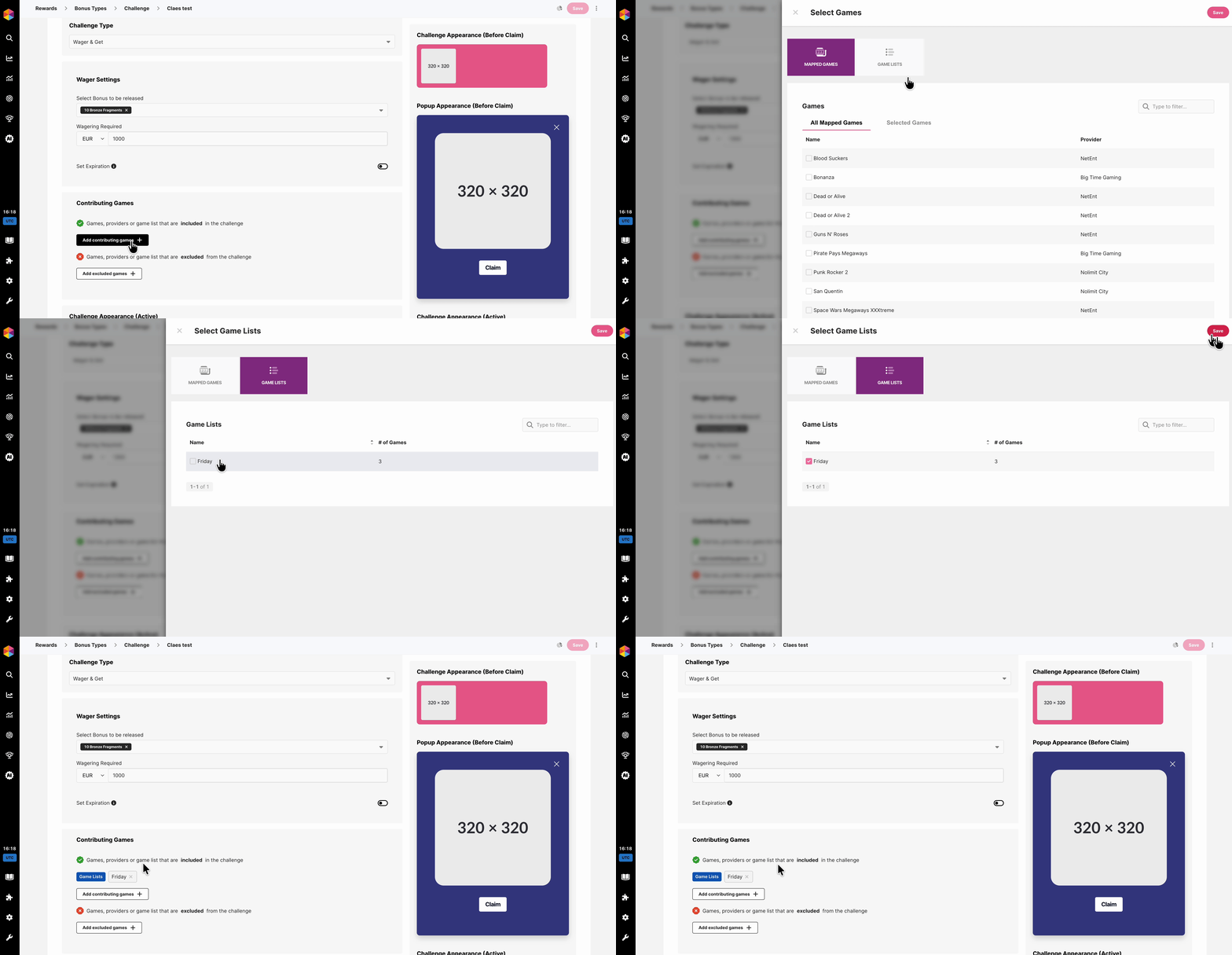
Example - Adding a Game List to a Challenge
Example - Adding a Game List to a Challenge
🛠️ Creating a Game List
To create a new Game List, navigate to Rewards -> Games and click on the Game Lists tab.
To start adding a new Game List, click Create new list and give your list a clear and descriptive name!
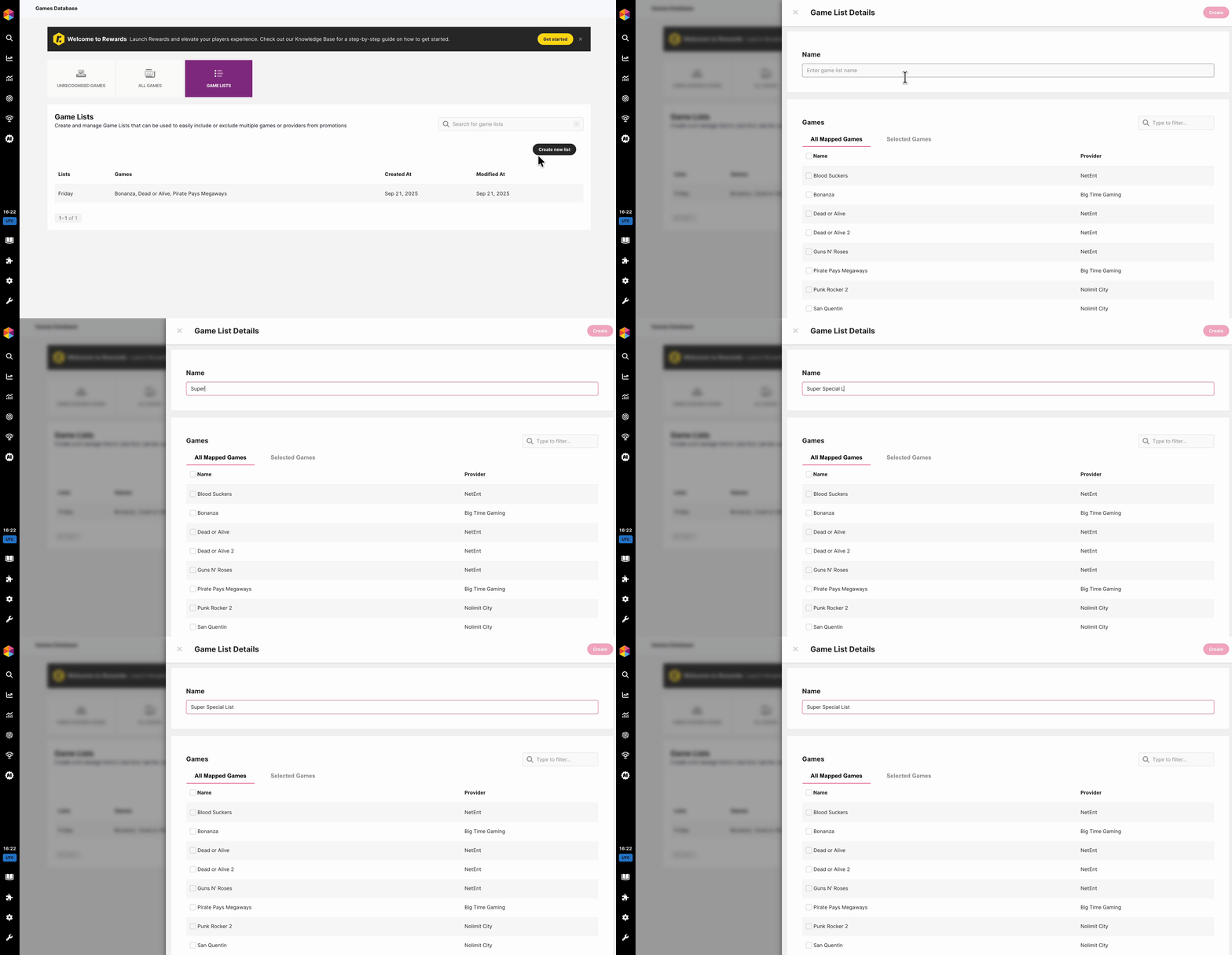
Add games by searching and selecting them from your available Games and click Create when you are done.
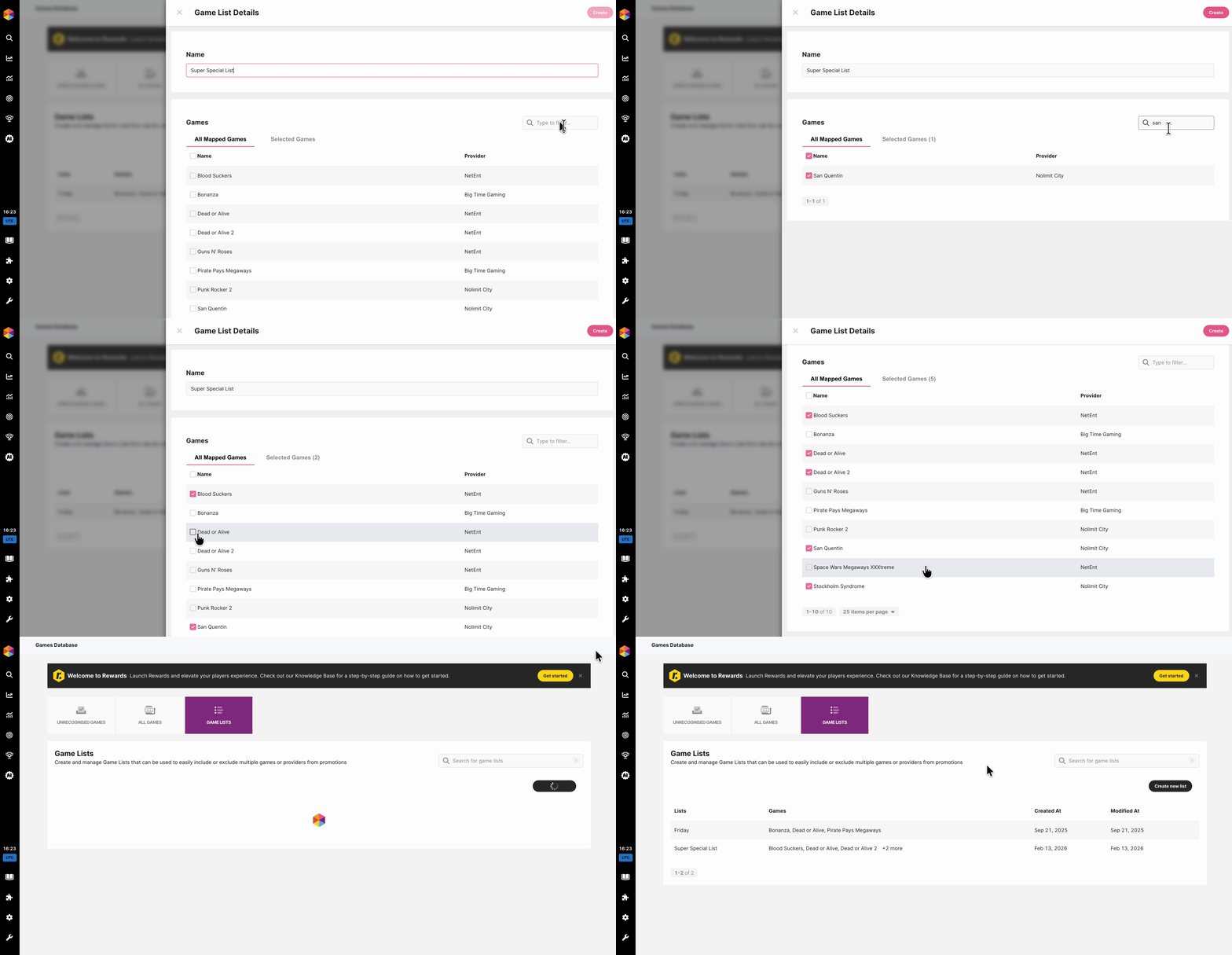
Your Game List is now ready to be used in Levels or Challenges.
💡 Tip: Use naming conventions that make it easy for your team to understand the purpose of each list at a glance (e.g., “Top Slots Q1” or “Live Casino Only”).
✏️ Editing a Game List
Game Lists are fully flexible and can be updated at any time, to do so, just open the List you which to edit in Rewards -> Games -> Games List tab.
You can:
- Add new games
- Remove games
- Rename the list
Any changes will automatically reflect in all configurations using that list.
Please note:
- Removing a game from a list will immediately stop it from contributing to any Level System/Challenge where that list is applied.
- Game Lists cannot be deleted.
🔁 Why use Game Lists instead of selecting games manually?
Using Game Lists helps you:
✅ Save time when creating new campaigns
✅ Ensure consistency across multiple promotions
✅ Reduce human error
✅ Quickly adjust active promotions by updating just one list
For example, if you regularly run challenges on a group of high-performing slot games, you can simply create one Game List and reuse it every time — instead of selecting those games individually for each new campaign.